
The operating system for service businesses
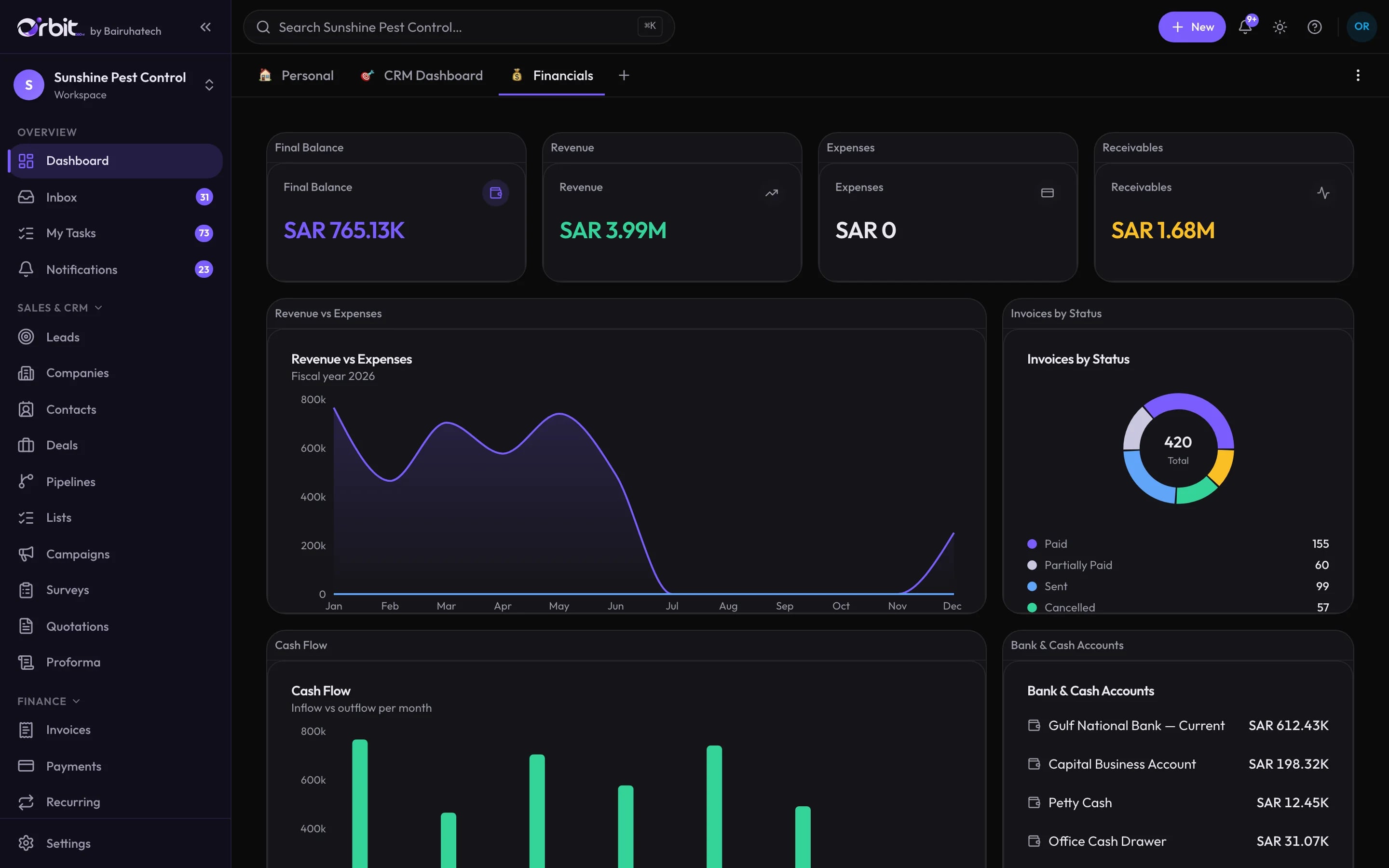
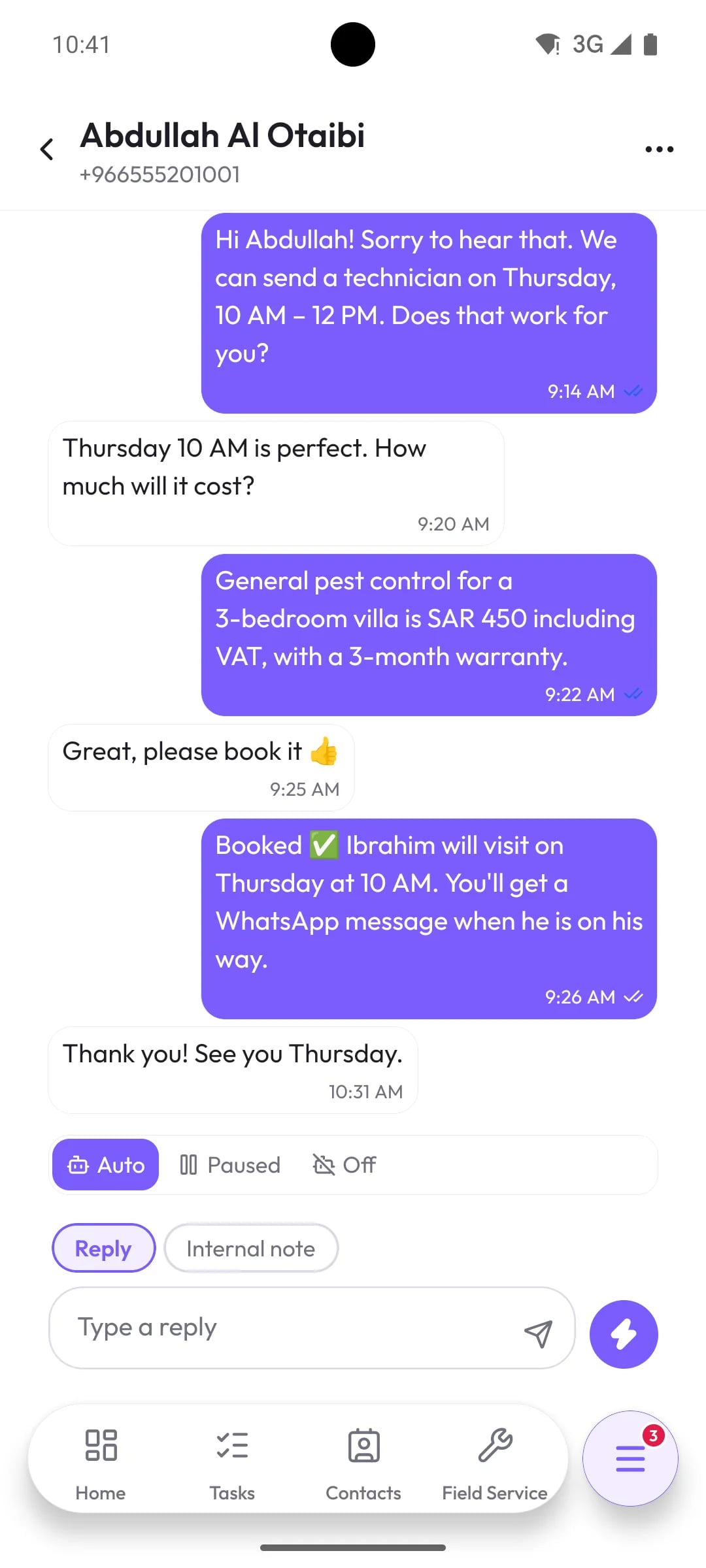
Orbit 360 AI runs the whole job in one place: the WhatsApp enquiry, the quotation, the visit, the signed service report, the invoice and the entry in your books.
- 14-day free trial
- Every module in every plan
- English, Arabic and Malayalam
Most service businesses are held together by a group chat
Every handoff between them is a place where a lead goes cold, a visit is missed or an invoice is never sent.
- The enquiry arrives on a technician’s personal WhatsApp and stays there.
- The quote is typed in a word processor, from a price list someone emailed last year.
- The schedule lives on a whiteboard that nobody on site can see.
- The service report is on paper in a van until the end of the month.
- The invoice is re-keyed into accounting software, if someone remembers.
- The owner finds out how the month went when the accountant closes it.
One record, all the way round
A WhatsApp message becomes a lead
The message lands in the shared inbox, someone picks it up, and one click turns the conversation into a lead with the chat attached.
Carried forward: Customer name, number and the conversation
More about WhatsApp inbox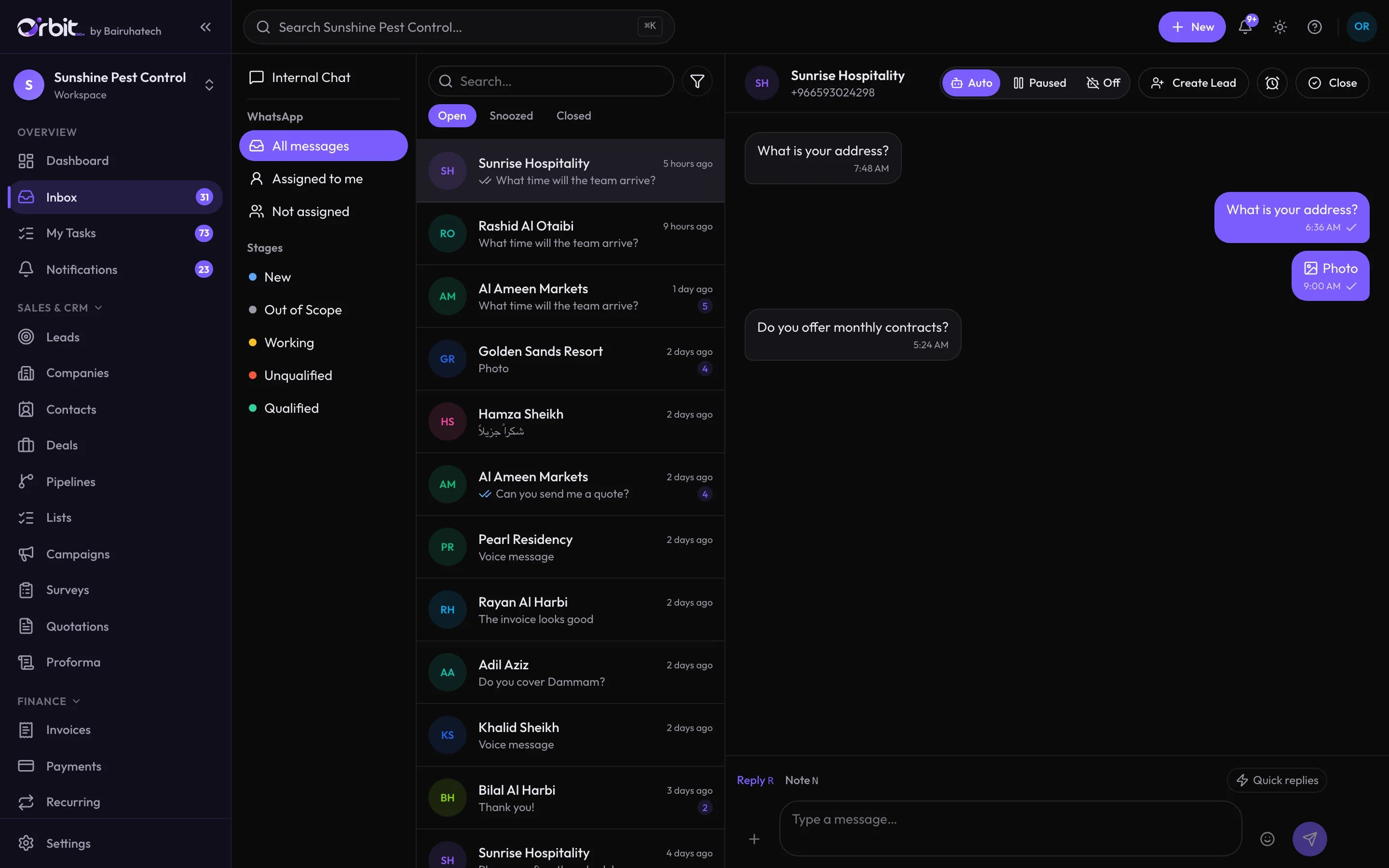
Sales works it through your pipeline
The lead is qualified and becomes a deal on the pipeline you designed, with its value and owner, next to every other open opportunity.
Carried forward: Client, contact, owner and expected value
More about CRM & pipeline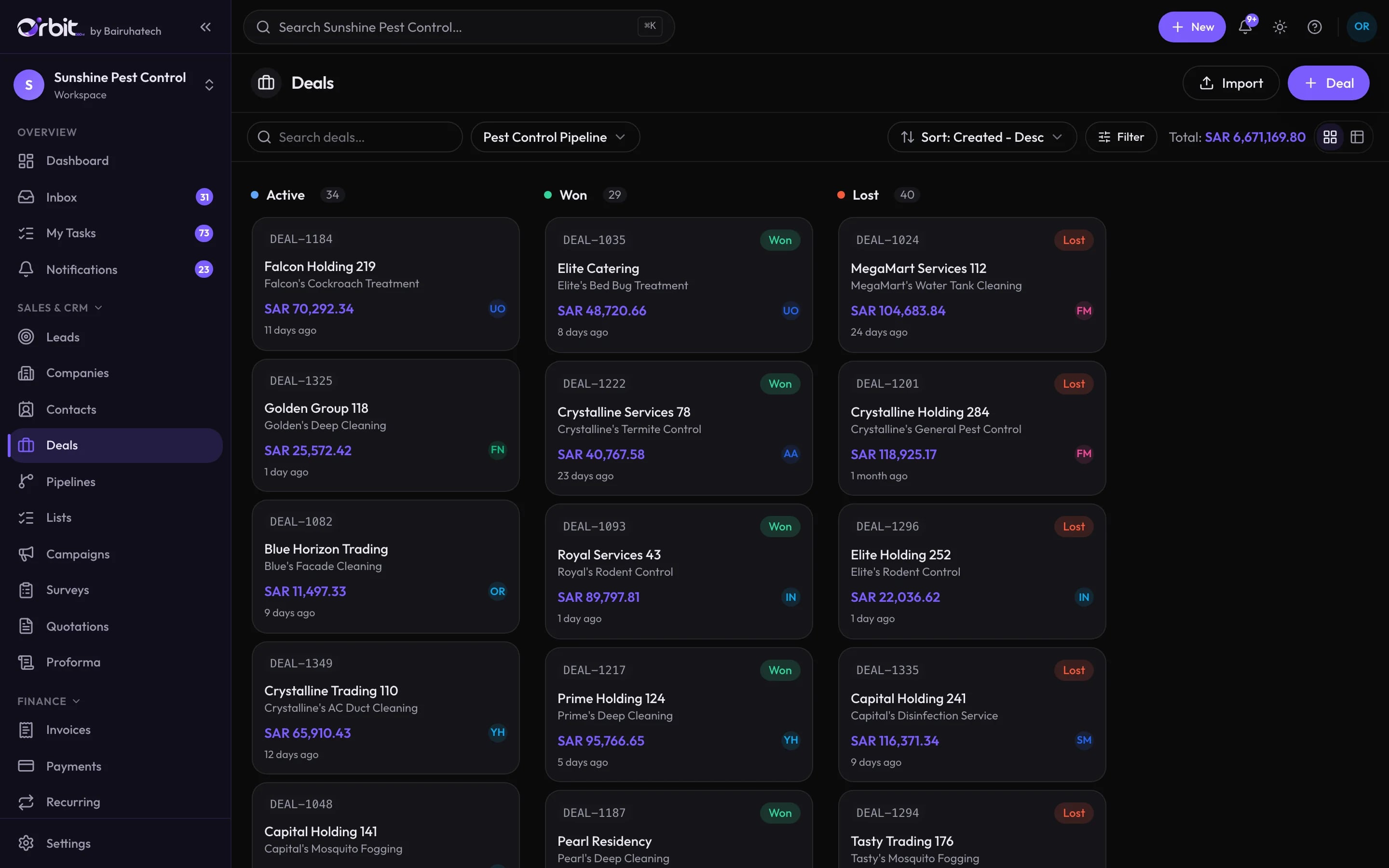
The customer accepts from a link
Build the quote from your catalogue, send it by WhatsApp, and the customer accepts, declines or asks for changes without signing in.
Carried forward: Products, prices, VAT and terms
More about Quotations & salesOne record, start to finish
Quotation
Sent by WhatsAppQuarterly pest control — Blue Horizon Hotels
SAR 3,920.00 + VAT 588.00
Customer response
AcceptedAccepted from the quotation link
No sign-in needed
Job
ScheduledContract job with 4 scheduled visits
Products and value carried over
Invoice
PaidSN25-2904 · first instalment
SAR 4,508.00 incl. VAT
The technician does the job from the app
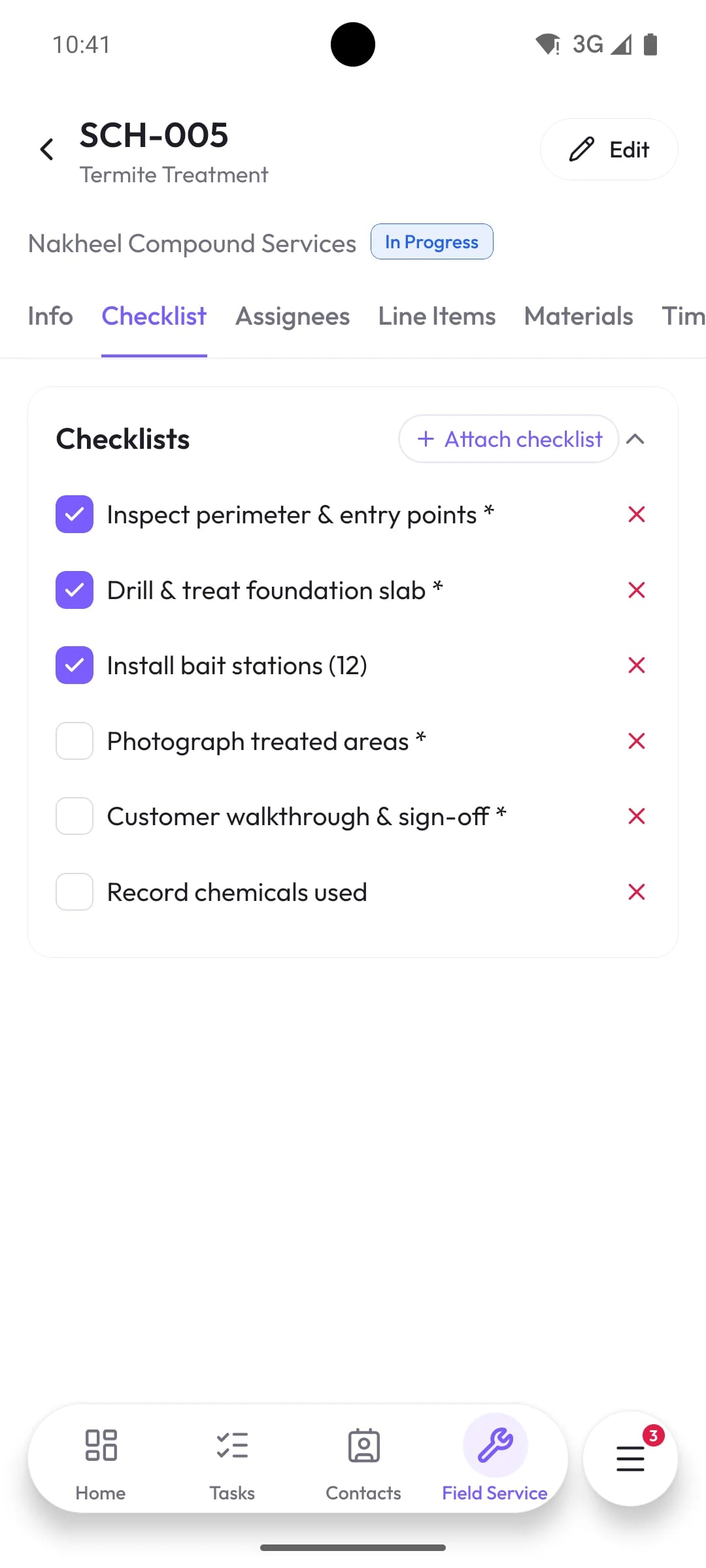
The accepted quote becomes a job on the schedule. On site, the technician works through the checklist and the customer signs the service report.
Carried forward: Job, products, schedule and checklist
More about Field service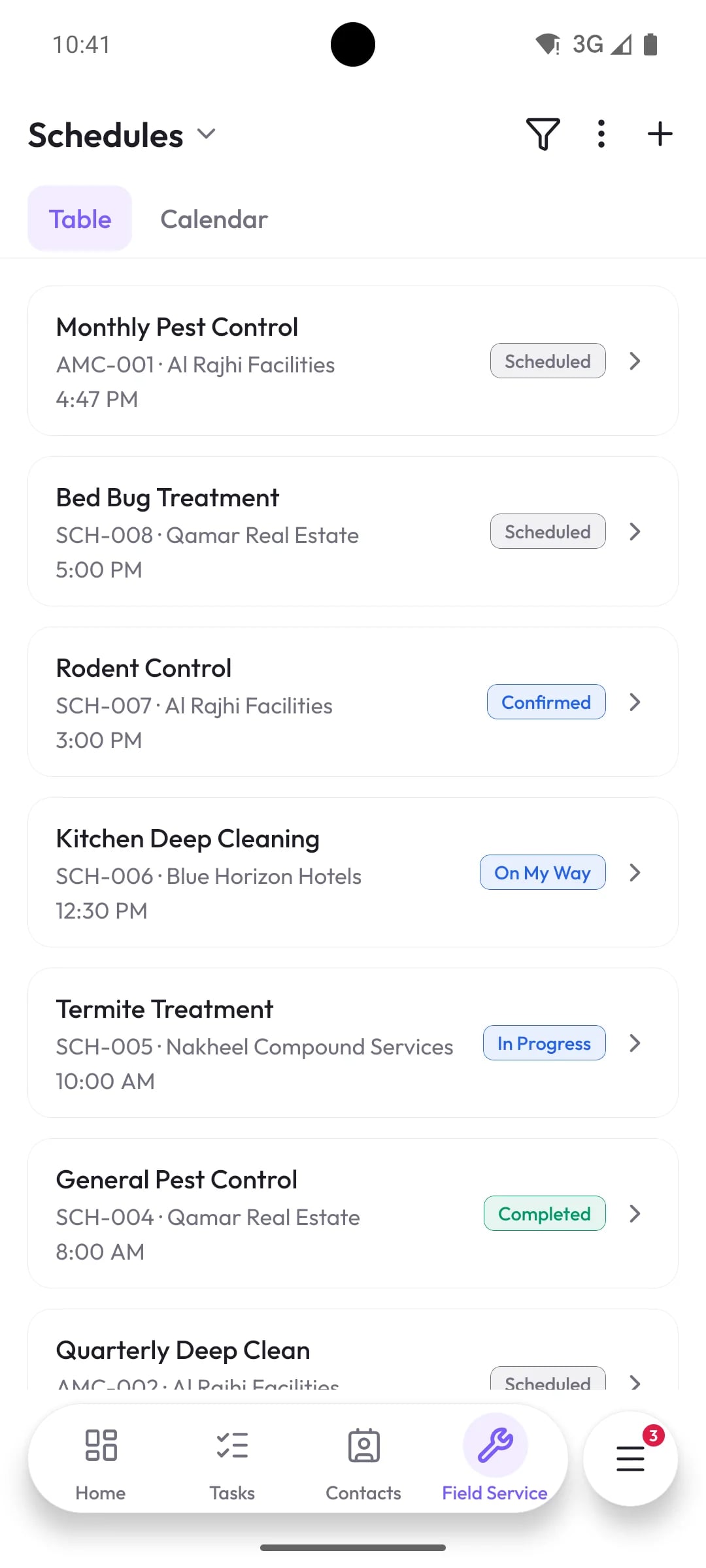
Invoiced the same day, and paid
Invoice from the completed job, send it by WhatsApp or email, and allocate the payment when it arrives.
Carried forward: Line items, VAT and the client’s balance
More about Invoicing & payments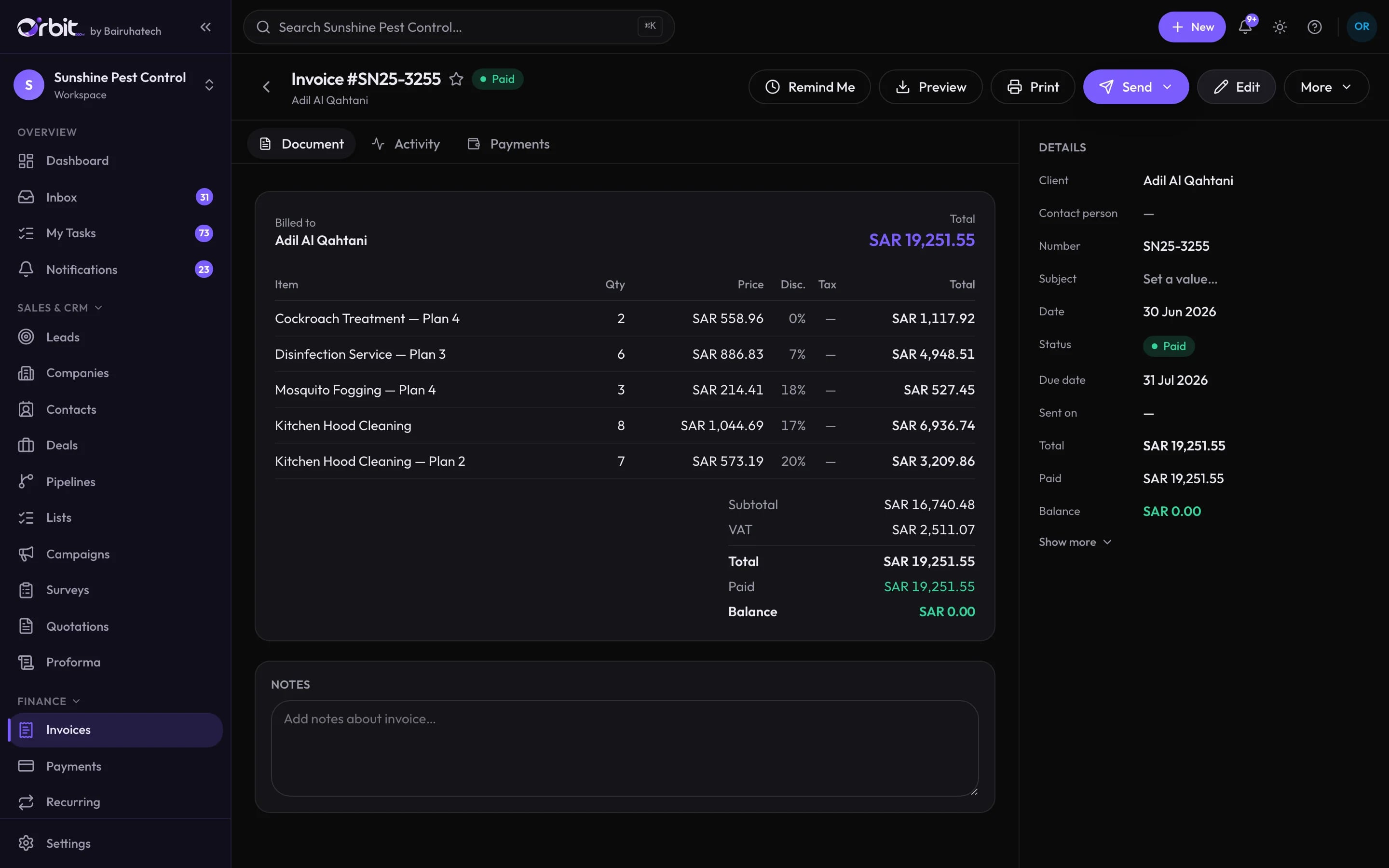
The books update themselves
The invoice and payment post to the general ledger as they happen, so the profit and loss is current before anyone opens a spreadsheet.
Carried forward: Journal entries, revenue by service line and cash
More about AccountingProfit & Loss
Income
Cost of sales
Operating expenses
Everything a service business runs on
Win the work
Do the work
Get paid
Run the business
- AI in OrbitAn assistant, an agent and AI help inside your work
- AutomationsRules that follow up, assign and notify for you
- Reports & dashboards27 built-in reports and dashboards you arrange
- Custom modules & formsYour own modules, fields, forms and branding
- Local ModeRun Orbit on your own computer or server
AI that answers from your records, and stops there
Press ⌘J or Ctrl+J anywhere in Orbit and ask a question about your business. The answer comes from your data, with links to the records behind it.
- Read-only by design
- The assistant can search, read and add up records. It cannot create, change or delete anything.
- Exactly as powerful as the person asking
- Every lookup re-checks the asker’s permissions and record scope. A technician cannot ask their way into the accounts.
- Switched on feature by feature
- Workspaces choose which AI features exist at all. Off means the button is gone and the route refuses.
Assistant
Asks your workspace data — read-only.
Hi Omar — what would you like to know?
I can look up records, add up numbers, and point you at the right page. I can’t change anything.
Follow-ups that happen whether or not someone remembers
Automations react to what happens in Orbit: a new WhatsApp lead, an accepted quote, an overdue invoice, a finished job. Each rule runs as a named person and can only do what that person could.
Invoice overdue → reminder
- When
Invoice becomes overdue
Trigger · Invoices
- If
Balance is greater than 0
Condition
- Then
Send WhatsApp message to the client
Template: payment reminder
- And
Create a task for the invoice owner
Due in 2 days
Connected to the tools you already use
WhatsApp, your own mail server, AI providers, maps and storage. Webhooks cover the rest.
- WhatsApp (QR pairing)Messaging
- WhatsApp Business Cloud APIMessaging
- Your SMTP mail serverEmail
- Google GeminiAI
- Anthropic ClaudeAI
- Google Maps address searchMaps
- S3-compatible storageStorage
Controls you can explain to your auditor
Permissions, record scope and an audit trail are part of every request, not a setting you remember to turn on.
- Access controlEvery request passes three checks in order: is this person signed in, do they belong to this organisation, and does their role allow this action.
- Sessions and sign-inShort-lived signed access tokens with rotating refresh tokens. Reusing an old refresh token signs the user out everywhere.
- Tenant separationEach organisation’s records carry its organisation id, and every query is scoped to the caller’s organisation by the API.
- Audit trailEvery change made through the API is recorded with who made it, when, and to which record. Actions taken by the WhatsApp AI agent are recorded too.
- Protecting stored credentialsSecrets you give Orbit, such as your SMTP password, AI provider keys and WhatsApp Cloud API credentials, are encrypted with AES-256-GCM before they are stored.
Built around the work of field service trades
- Pest controlContract visits, treatment checklists and signed service reportsSee the pest control workflow
- Cleaning servicesDeep cleans, recurring contracts and crews on the moveSee the cleaning services workflow
- Facility managementMulti-site maintenance, contracts and client reportingSee the facility management workflow
Orbit in numbers
- interface languages, including Arabic right to left
- 3interface languages, including Arabic right to left
- ready-made reports across sales, projects and field service
- 27ready-made reports across sales, projects and field service
- default roles, plus permission sets you define
- 9default roles, plus permission sets you define
- record types that can trigger an automation
- 26record types that can trigger an automation
Every module in every plan
Plans differ only by how many organisations you run and how many people use them. Start with a 14-day free trial.
From ₹25,000 a year
Questions, answered
Something else? Ask us directly.
What is Orbit 360 AI?
Orbit 360 AI is a business management platform for service companies. CRM, quotations, field service, projects, invoicing, purchasing, accounting and a shared WhatsApp inbox run on one set of records, with an AI assistant that answers questions from them.
Who is Orbit built for?
Service businesses with an office and a field team: pest control, cleaning, facility management and similar trades. It suits companies that have outgrown spreadsheets and a separate tool for every job.
Do we have to use every module?
No. Every plan includes every module. We can switch off the modules you do not need, so your team’s sidebar only shows what it uses.
Is there a mobile app?
Yes. The Orbit mobile app gives technicians their schedule, checklists and service reports, works offline, and gives managers the inbox, invoices and dashboards.
Which languages does Orbit support?
The web and mobile apps are available in English, Arabic with a right-to-left layout, and Malayalam.
Can Orbit run on our own server?
Yes. Local Mode installs Orbit on a Windows, macOS or Linux machine you control, with its own database and scheduled backups.
See your own business running in Orbit
A live walkthrough with someone who knows service businesses. Bring a real job and we will take it from enquiry to the books.