
Buy, receive and pay suppliers without losing the paper trail
Purchase orders, vendor bills and payments made live together, so you always know what was ordered, what was billed and what is still owed.
What you can do with Purchasing
Vendors in one place
Each supplier keeps its orders, bills, payments and balance together.
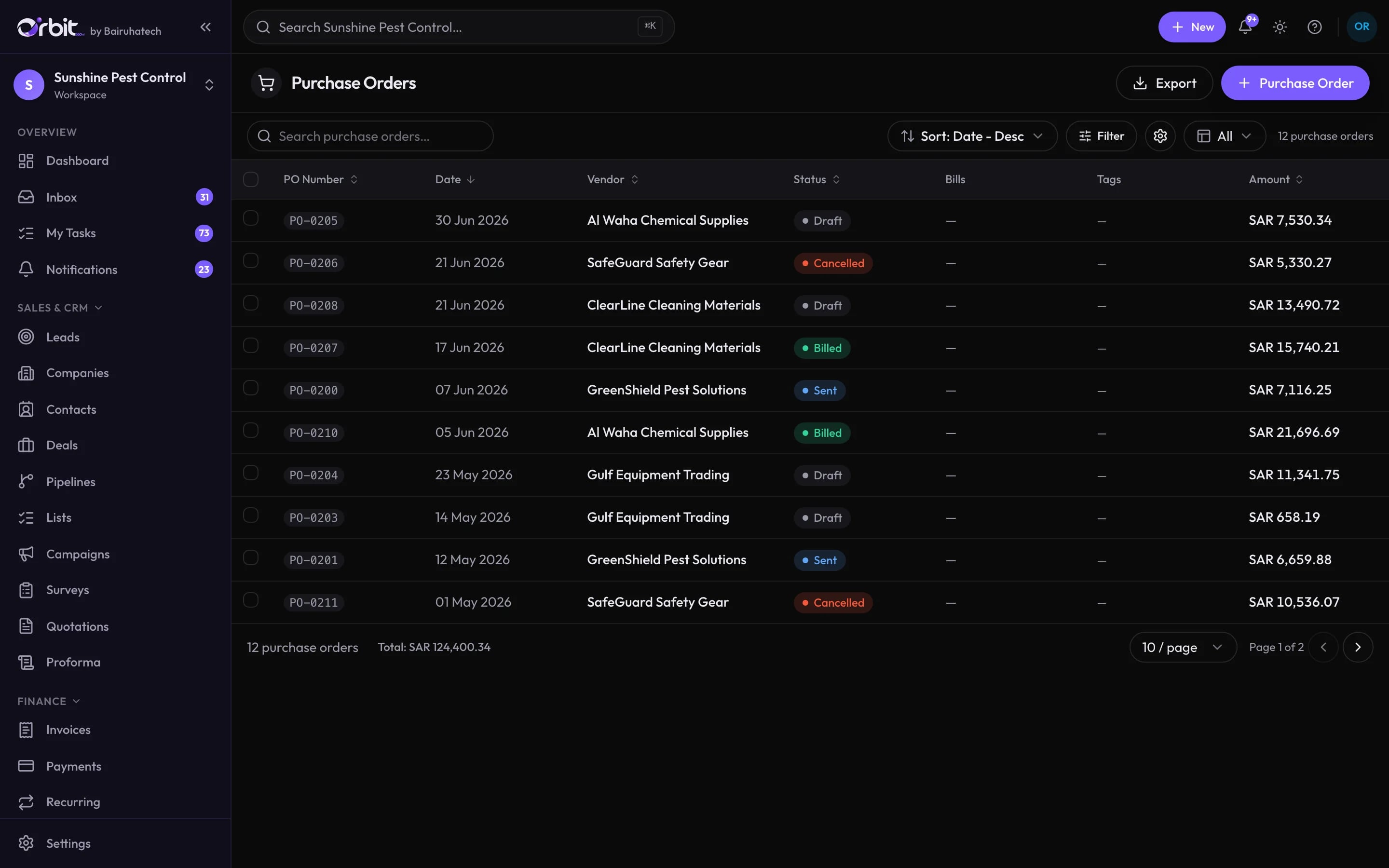
Purchase orders
Raise, send and track orders from draft to billed. When stock tracking is on, closing an order adds the quantities to stock.
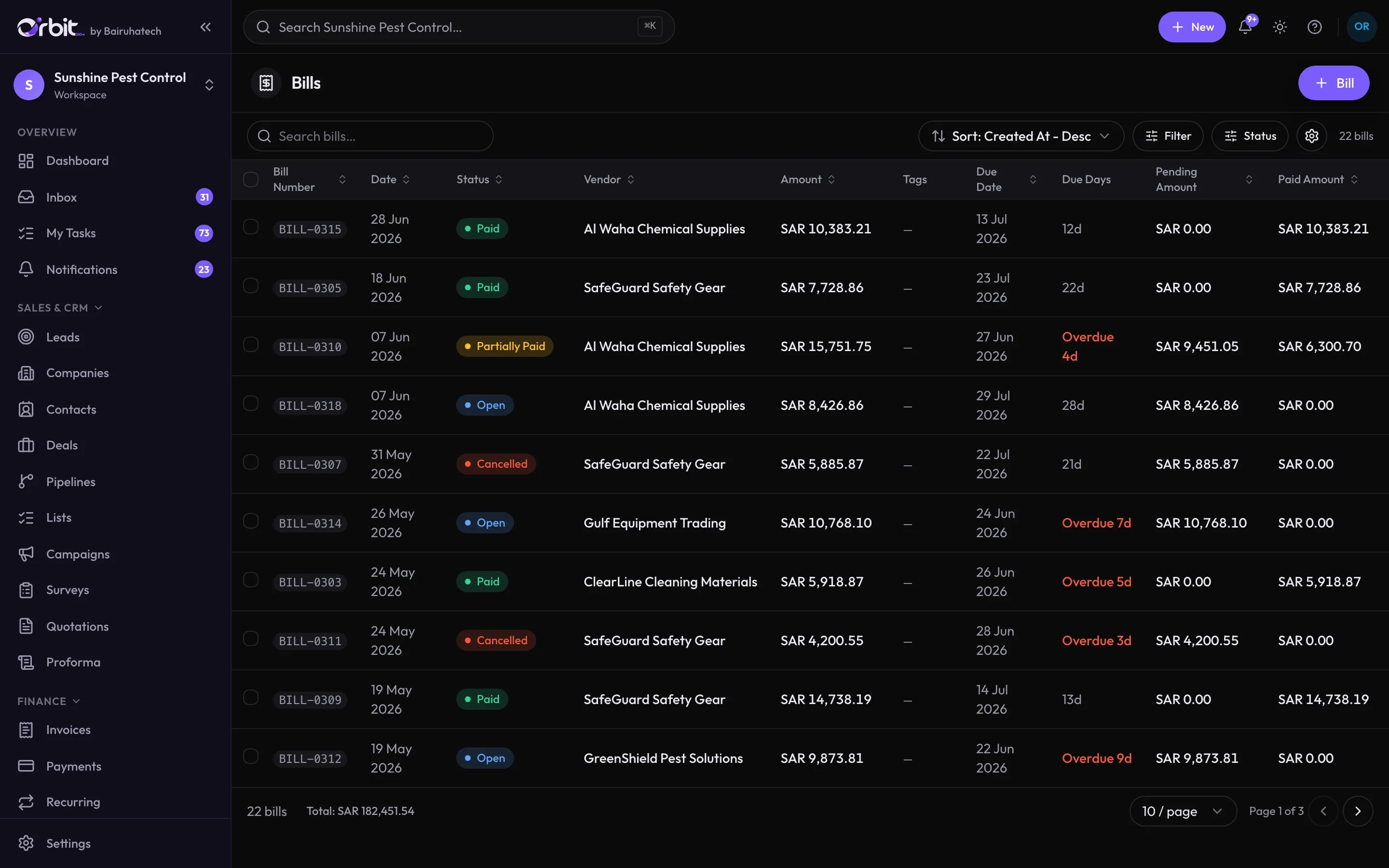
Bills and due dates
Record vendor bills with due dates and see what is open, overdue or partly paid. Bill lines can post to a specific expense account.
Payments made
Pay one or several bills, from the right bank or cash account, and keep the vendor balance current.
Bills that tell you what is due
Connected to the rest of Orbit
Purchasing: common questions
Something else? Ask us directly.
Does Orbit manage inventory?
Orbit can keep a stock quantity per product when stock tracking is switched on for your workspace: sending an invoice deducts stock, closing a purchase order adds it, and every change is recorded. It does not manage multiple warehouses, batches or serial numbers.
Bring your suppliers into Orbit
We will show a purchase order through to a paid bill and its ledger entry.