
Your business WhatsApp, shared by the whole team
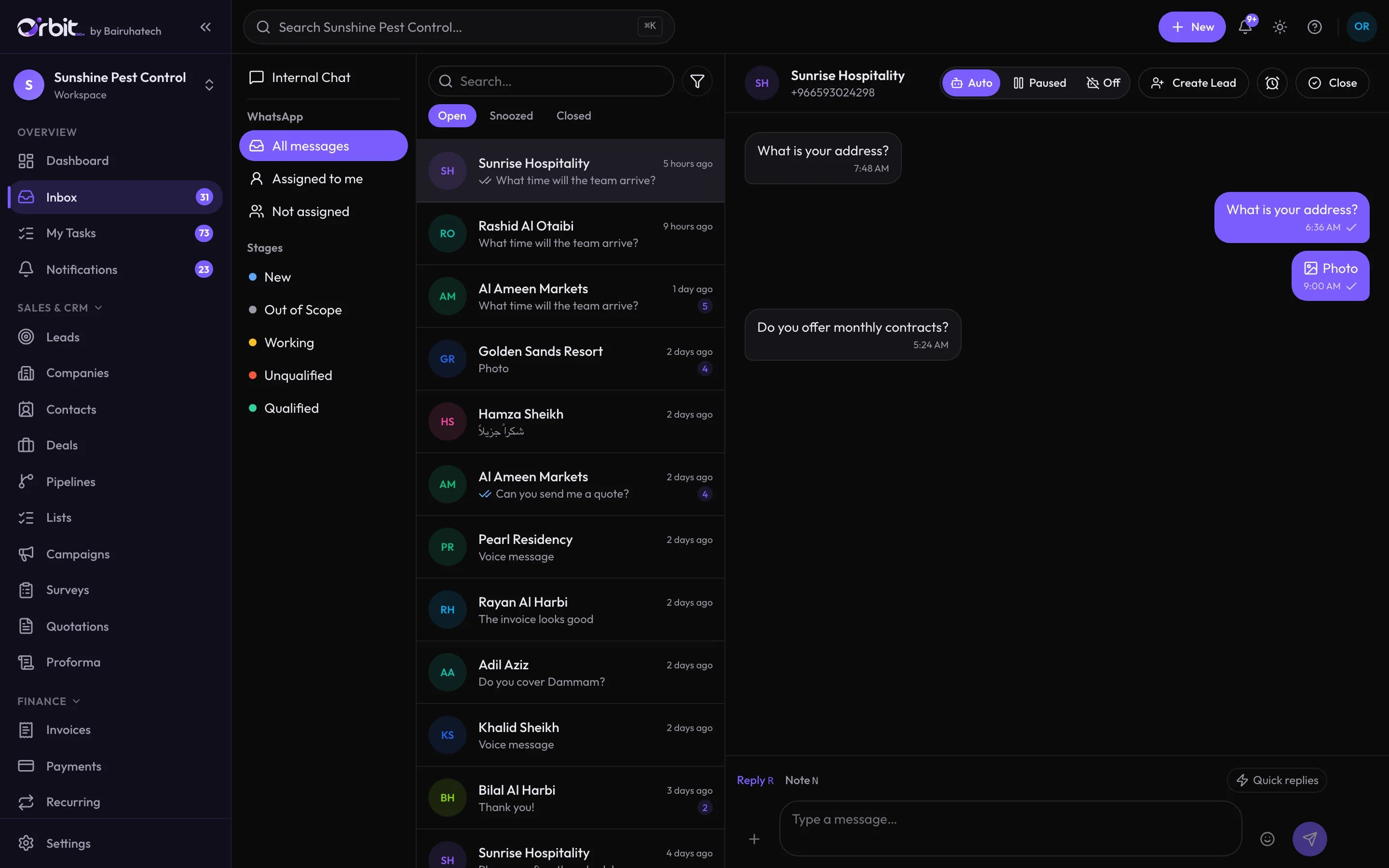
Connect a number once and every conversation lands in one inbox. Assign it, snooze it, turn it into a lead and reply from the office or the field, without handing a phone around.
What you can do with WhatsApp inbox
Two ways to connect
Pair a phone by scanning a QR code, or connect Meta’s official WhatsApp Business Cloud API with your own credentials. Each workspace uses one method, and the Orbit team switches it for you.
An inbox built for a team
Open, snoozed and closed views, “assigned to me” and “not assigned” filters, and lead stages on every conversation. Reply or leave an internal note for a colleague.
- Voice notes, photos and documents
- Delivery ticks and opt-out handling
- Create a lead from any conversation
Send business documents where customers already are
Quotations, invoices and campaign broadcasts can go out over WhatsApp from the record itself.
An AI agent with a short leash
Switch the agent to Auto, Paused or Off per conversation. With customers it can only look up products, answer from your knowledge base, take a callback request, report a customer’s own status, share business hours or hand over to a person.
Staff can work through WhatsApp too
Team members can ask the agent to act on Orbit records, within their own permissions. Anything that moves money or deletes data asks for confirmation first, and agent actions are written to the audit log.
Internal chat next to customer chat
Team channels live in the same inbox, so a question about a customer never has to leave Orbit.
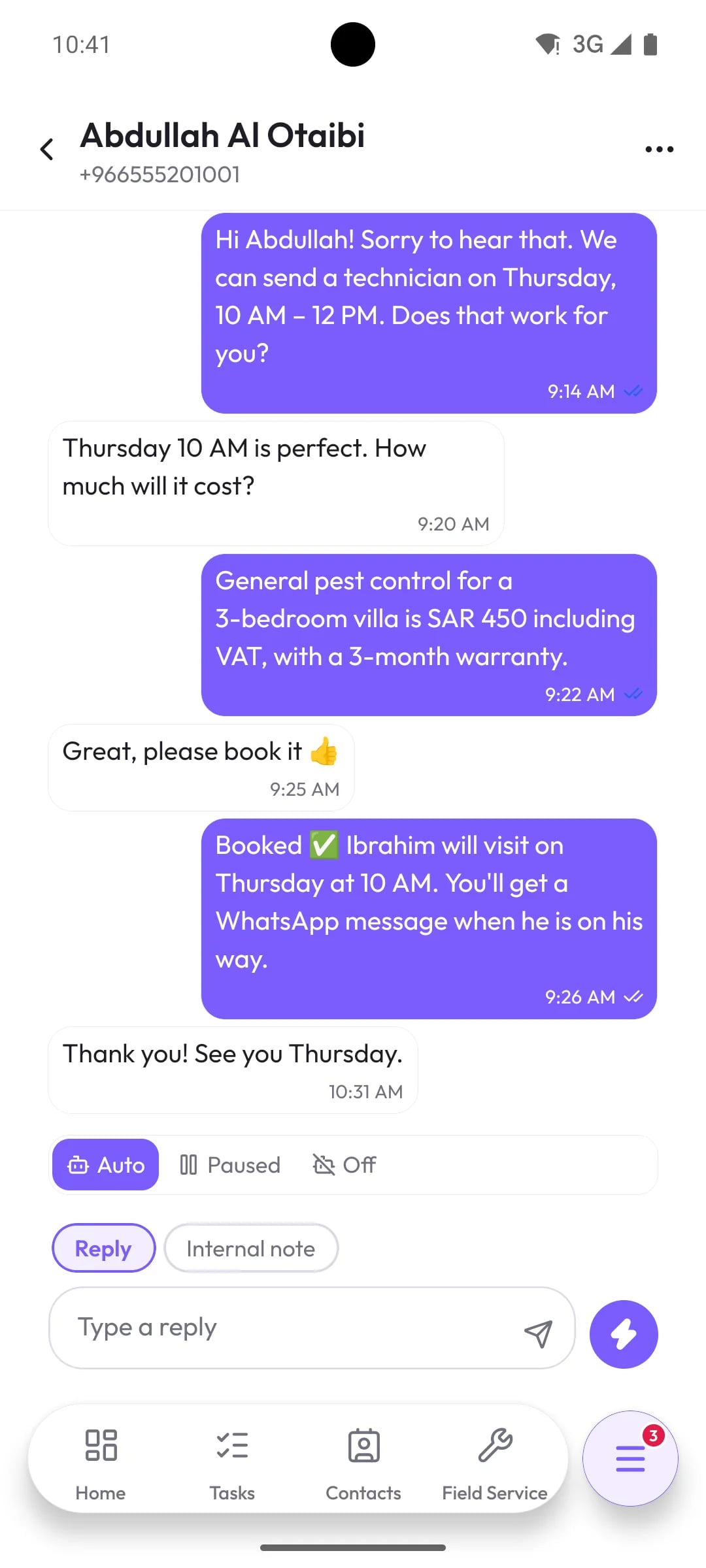
The same inbox on the phone
Connected to the rest of Orbit
Good to know
What this part of Orbit does not do today, so there are no surprises later.
- The inbox handles WhatsApp. Instagram, Messenger and SMS are not part of it; email goes out from your own mail account.
- On the Cloud API, Meta only allows free-form replies within 24 hours of the customer’s last message, and Orbit does not send template messages yet.
WhatsApp inbox: common questions
Something else? Ask us directly.
Do we need the WhatsApp Business API?
No. You can link an existing WhatsApp number by scanning a QR code, or use Meta’s official Cloud API if you already have access. Your workspace uses one method at a time.
Can several people reply from the same number?
Yes. Everyone with inbox access works from the shared inbox, and conversations can be assigned so customers are not answered twice.
Will the AI agent reply to customers on its own?
Only if you set it to Auto. You can pause or switch it off per conversation, and it can only use a small set of customer-safe actions.
Put your WhatsApp in one place
We will connect a test number during the demo so you can see a real conversation arrive.