
A CRM that still knows the client after the deal is won
Leads, companies, contacts and deals sit next to the quotations, jobs and invoices that follow them. Sales sees the whole relationship, not just the pipeline.
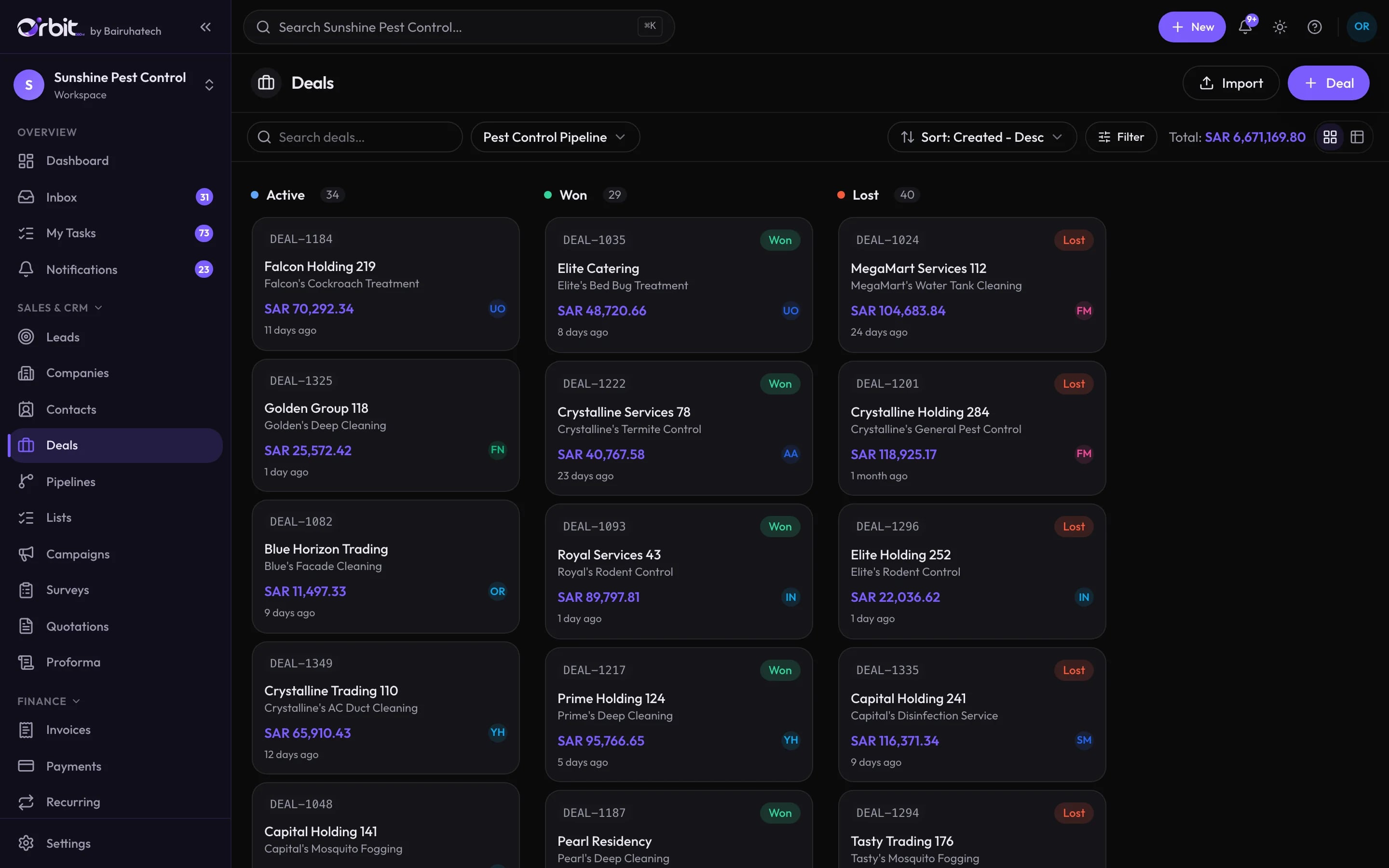
What you can do with CRM & pipeline
Leads that arrive with their context
Every lead records where it came from, who owns it and what happened last. Calls, meetings, notes, emails and tasks build a timeline you can read in seconds.
- Sources such as WhatsApp, website, campaign, exhibition and cold call
- Stages from New to Qualified, including Out of scope and Unqualified
- Owners, assignees, expected value and follow-up focus
- CSV import for leads, companies, contacts and deals
Deals on pipelines you define
Run as many pipelines as the business needs, each with its own stages. Drag deals across the board and see open, won and lost value at a glance.
One hub per client
The client record gathers companies, contacts, quotations, jobs, invoices and payments, so anyone answering the phone can see the full picture.
Lists, campaigns and surveys
Group clients, leads, deals or jobs into named lists such as “Contract” or “One-off”, then send email or WhatsApp broadcasts to them. Surveys are built with the same form builder as the rest of Orbit.
Lead scraper
An optional AI feature that searches Google Maps listings for businesses in your area, reads their websites, verifies email addresses and scores each prospect before it becomes a lead.
Proposals
Write lead proposals from reusable templates and send them as PDFs while the lead is still warm.
The CRM dashboard shows conversion, not just activity
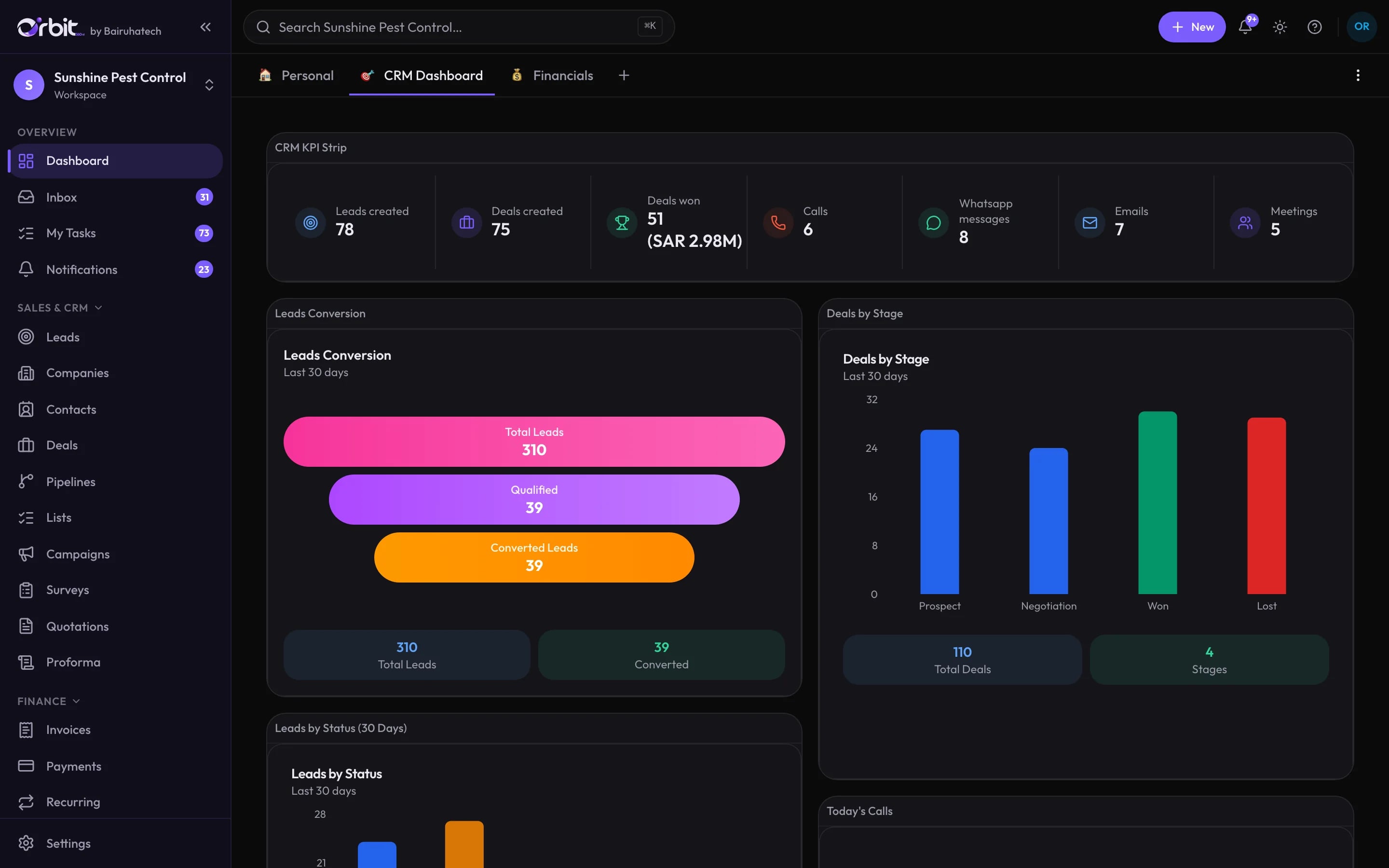
Connected to the rest of Orbit
- Quotations & salesQuote straight from a deal or lead without re-entering the client.Explore Quotations & sales
- WhatsApp inboxTurn a WhatsApp conversation into a lead with one click.Explore WhatsApp inbox
- AutomationsAssign, remind and follow up automatically when a lead is created or a deal changes stage.Explore Automations
CRM & pipeline: common questions
Something else? Ask us directly.
Can I bring my existing customers and leads into Orbit?
Yes. Leads, companies, contacts, clients, deals, products and more can be imported from CSV. Import dialogs are built into each list.
Can we run more than one sales pipeline?
Yes. Create separate pipelines with their own stages, for example one for contract sales and one for one-off jobs.
How do we control which salespeople see which leads?
Permission sets decide what each role can do, and record scope decides whether a person sees only their own records, their team’s, or everyone’s.
Is the CRM available in Arabic?
The Orbit interface is available in English, Arabic (right-to-left) and Malayalam.
See your own pipeline in Orbit
Bring a sample of your leads to the demo and we will show you how they would move through Orbit.