
Invoice when the work is done, and know who has paid
Invoices come from the job or quotation, not from a blank page. Payments are allocated against them, recurring billing runs itself, and every figure flows to the books.
What you can do with Invoicing & payments
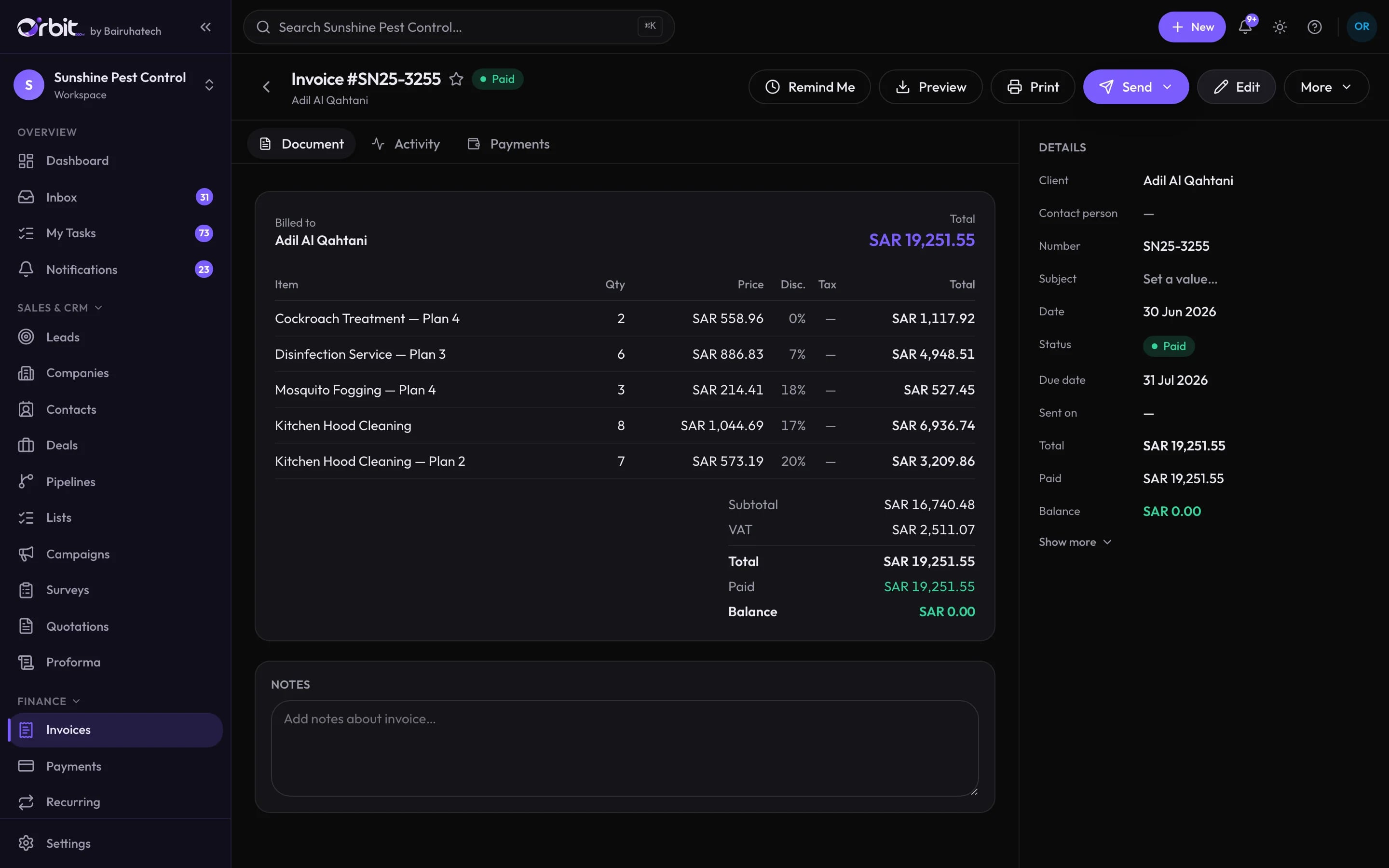
VAT invoices from real work
Create an invoice from a job, a quotation or from scratch. Totals, VAT and numbering are calculated by the server, so the PDF, the list and the ledger always agree.
- Statuses from Draft and Sent to Partially paid, Paid and Overdue
- Send by email from your own mail account, or by WhatsApp
Payments that settle the right invoices
Record a payment once and allocate it across one or more invoices. Unapplied credit stays visible until it is used.
Recurring invoices
Set up contract billing once and Orbit generates each invoice when it falls due.
Expenses and reimbursements
Categorise spending, route it for approval and reimburse staff. Scan a receipt photo or PDF and the AI fills in the expense for you to check.
Bank and cash accounts
Keep each bank, card and cash drawer as an account with its own transactions, transfers and reconciliation history.
More than one currency
Documents can be issued in any ISO currency, with the conversion rate you record used when it posts to the books.
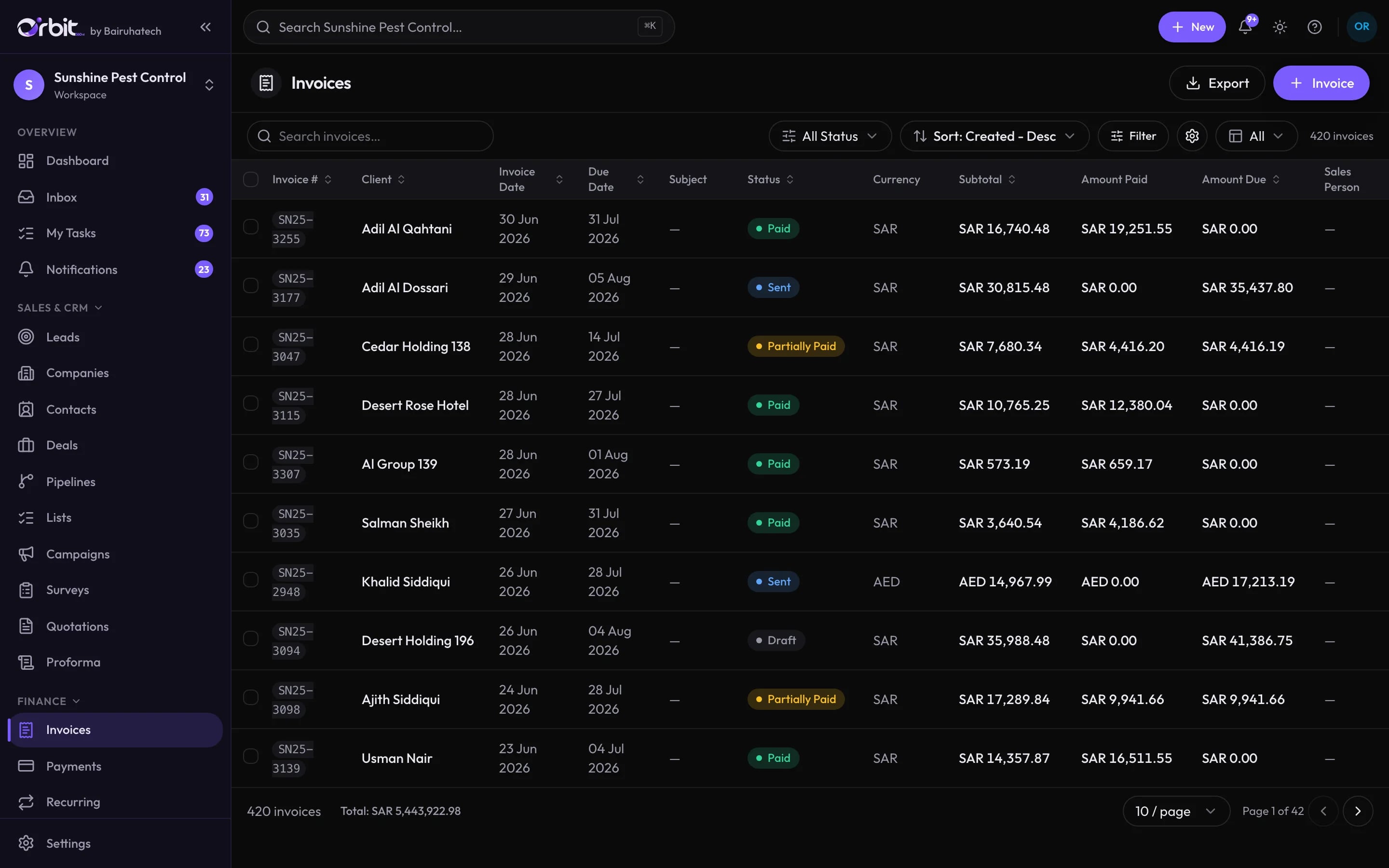
Every invoice, and what is still owed
Connected to the rest of Orbit
Good to know
What this part of Orbit does not do today, so there are no surprises later.
- Orbit is not integrated with ZATCA’s Fatoora e-invoicing platform today.
- Customers cannot pay an invoice online from Orbit yet. Payments received by transfer, card or cash are recorded against the invoice.
- Exchange rates are entered by you, not pulled from a live feed.
Invoicing & payments: common questions
Something else? Ask us directly.
Are Orbit invoices ZATCA Phase 2 compliant?
Orbit issues VAT invoices with tax rates and tax groups, but it is not integrated with ZATCA’s Fatoora platform. If you must clear invoices through Fatoora, talk to us about your requirements before you choose Orbit.
Can one payment cover several invoices?
Yes. A payment can be allocated across several invoices for the same client, and any unapplied amount stays on record as credit.
How does receipt scanning work?
Upload a photo or PDF of a receipt and Orbit’s AI reads it and fills in the expense, using your own expense categories. You review it before saving. It is an optional AI feature.
Send your first Orbit invoice in the demo
We will take one of your real jobs from quotation to paid invoice.